Features
Six products on one set of numbers, contacts and conversations.
A developer API underneath, and a shared inbox, AI assistant, campaigns, CRM and follow-ups on top. Nothing needs syncing, because it is all the same data.
01Team inbox
Answer your WhatsApp numbers together, without double replies.
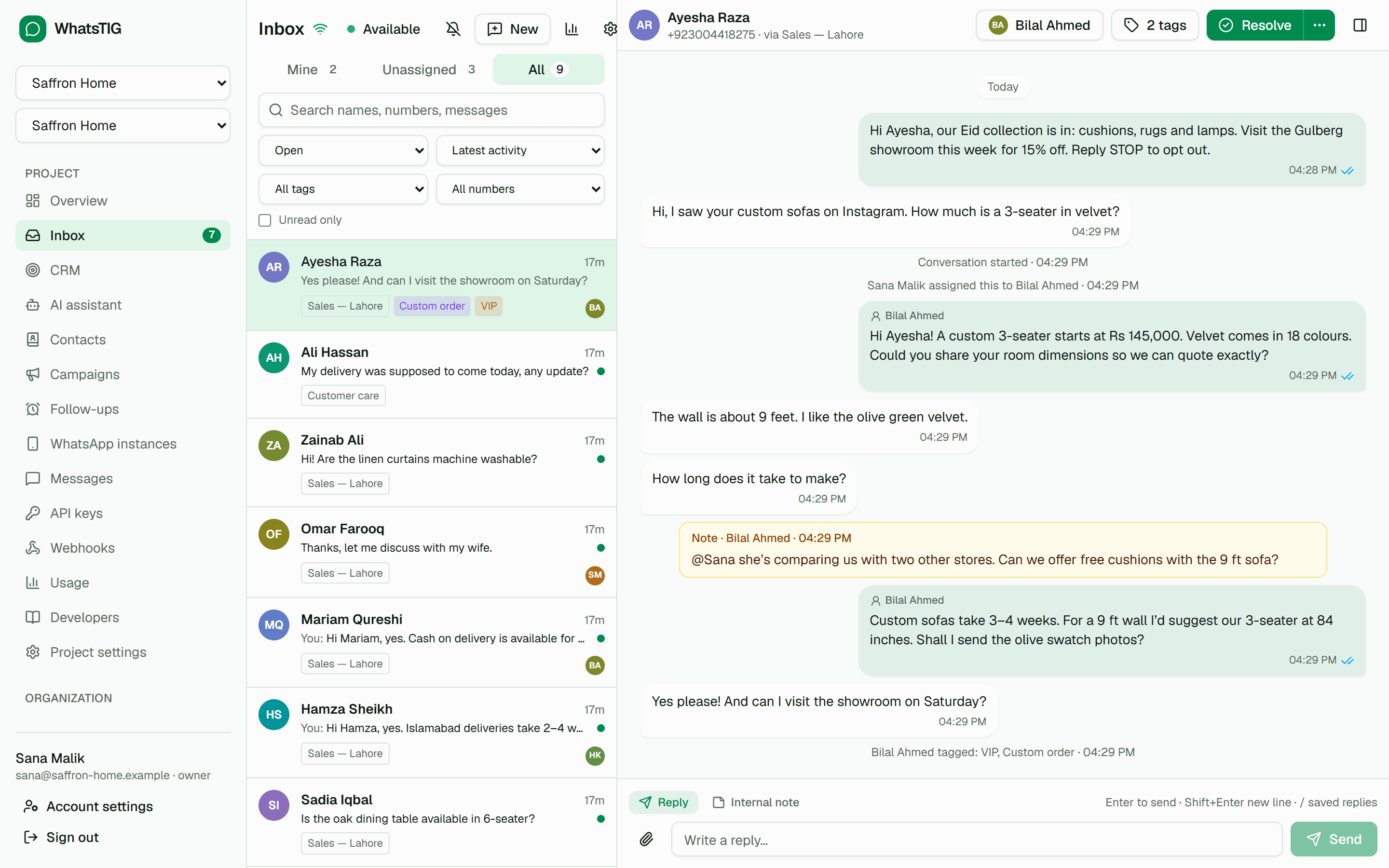
Every person who writes to one of your numbers gets a conversation. Your team assigns it, replies, leaves internal notes, tags and resolves it, and everyone sees changes live.
- Assignment and auto-assignment
- Take conversations yourself or let round robin or least-busy assignment pick an available agent, with an optional cap per agent.
- Internal notes and mentions
- Switch the composer to an internal note your customer never sees, and @mention a teammate to bring them in.
- No double replies
- See when a teammate is viewing or typing. If someone answered while you were writing, the inbox asks before sending yours.
- Saved replies
- Type / and a shortcut to insert a saved reply, personalized with the contact’s first name.
- Business hours and away messages
- Set your hours and time zone; an away message answers outside them, at most once every 12 hours per conversation.
- Response-time targets
- First-response and follow-up reply targets, optionally in business hours. Overdue conversations are flagged and the assignee is notified.
- Agent role and seats
- Invite agents who see only the inbox, never API keys, webhooks, billing or the raw message log.
- Reports
- Opened and resolved conversations, first-response and resolution times, target attainment, a per-agent table and busiest hours. Export to CSV.
- Desktop notifications and shortcuts
- Get notified about new messages, mentions and assignments, and work from the keyboard with j, k, e and a.
02AI assistant
Answer customers instantly from your own business knowledge.
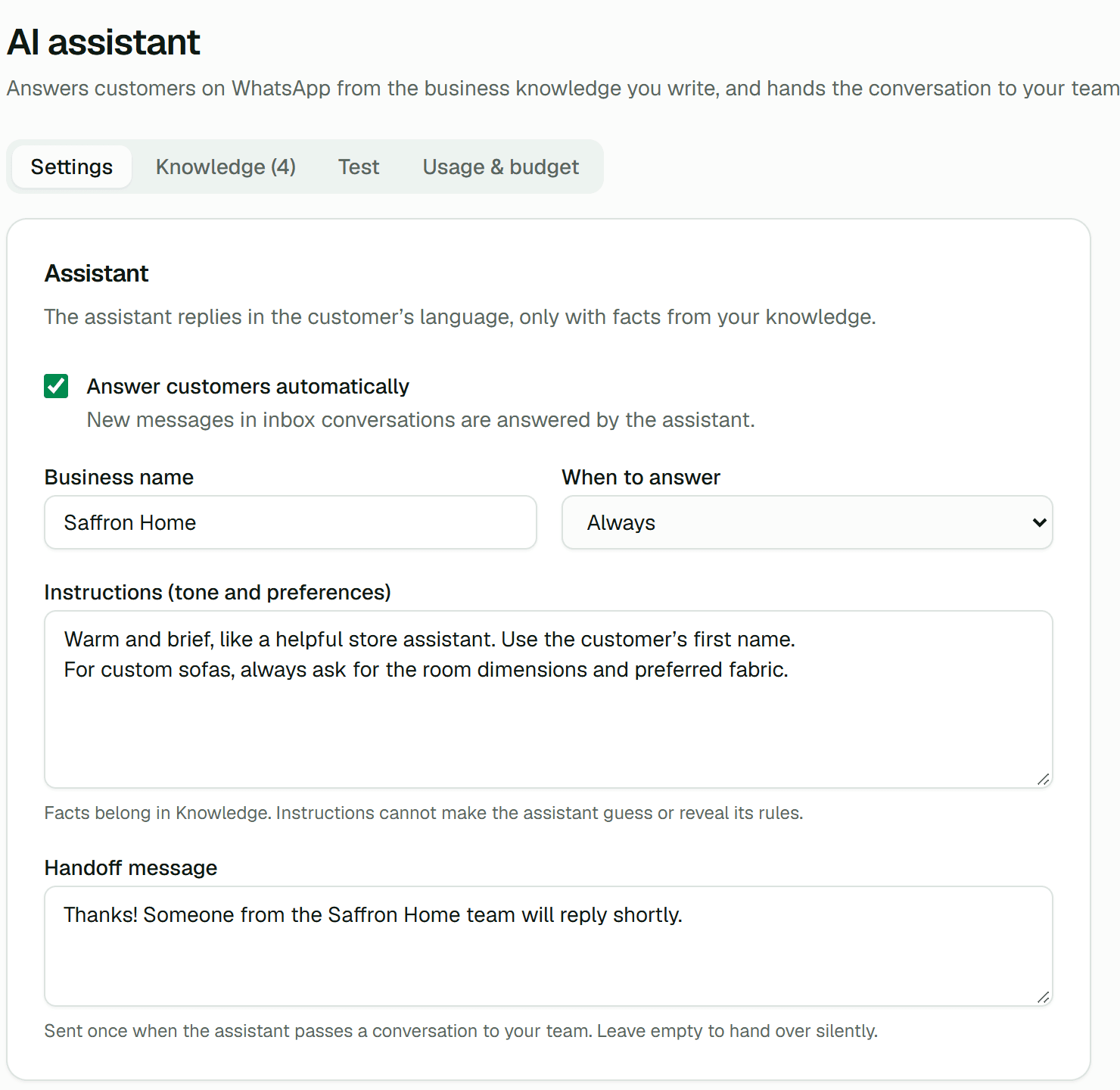
The AI assistant answers WhatsApp conversations from the knowledge your team writes and hands the conversation to a person whenever it is unsure. Every answer appears in the team inbox, and your agents can take over at any time.
Only your facts
Answers use only your knowledge and the conversation. It never invents prices, dates, links or promises.
Confidence threshold
Every answer is rated for confidence; answers below your minimum are not sent.
Clean handoffs
It steps back when the answer is not in your knowledge, the customer asks for a person or complains, sending your handoff message once.
A budget that holds
Usage is billed by tokens against a monthly budget per organization. Each call is reserved before it is made, so the budget is not exceeded.
Knowledge · Custom sofas
Custom sofas are made to order in 3–4 weeks. Fabrics: velvet, linen blend and performance weave in 18 colours.
03Contacts & campaigns
Send personalized, consent-based messages to the right audience.
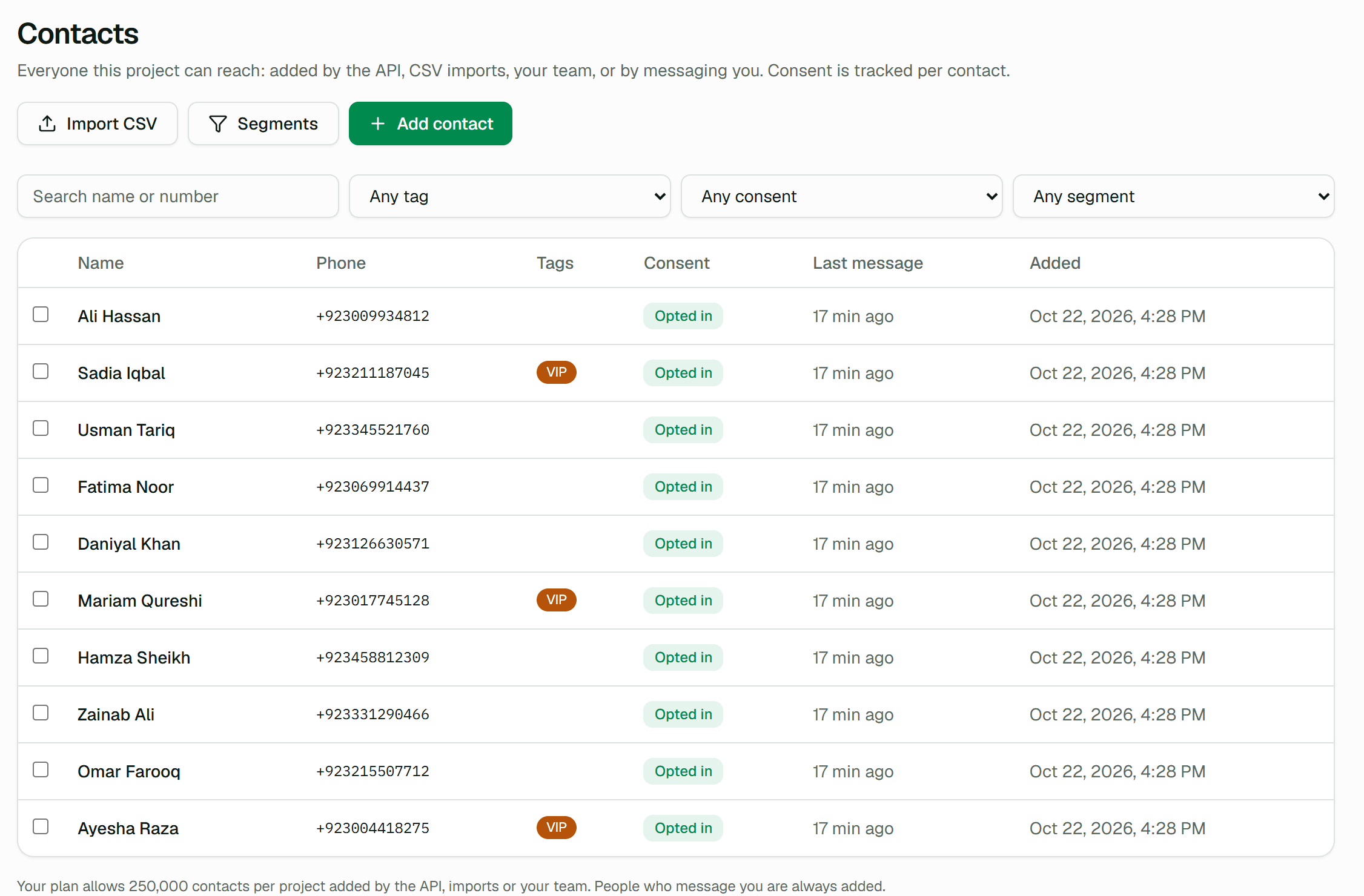
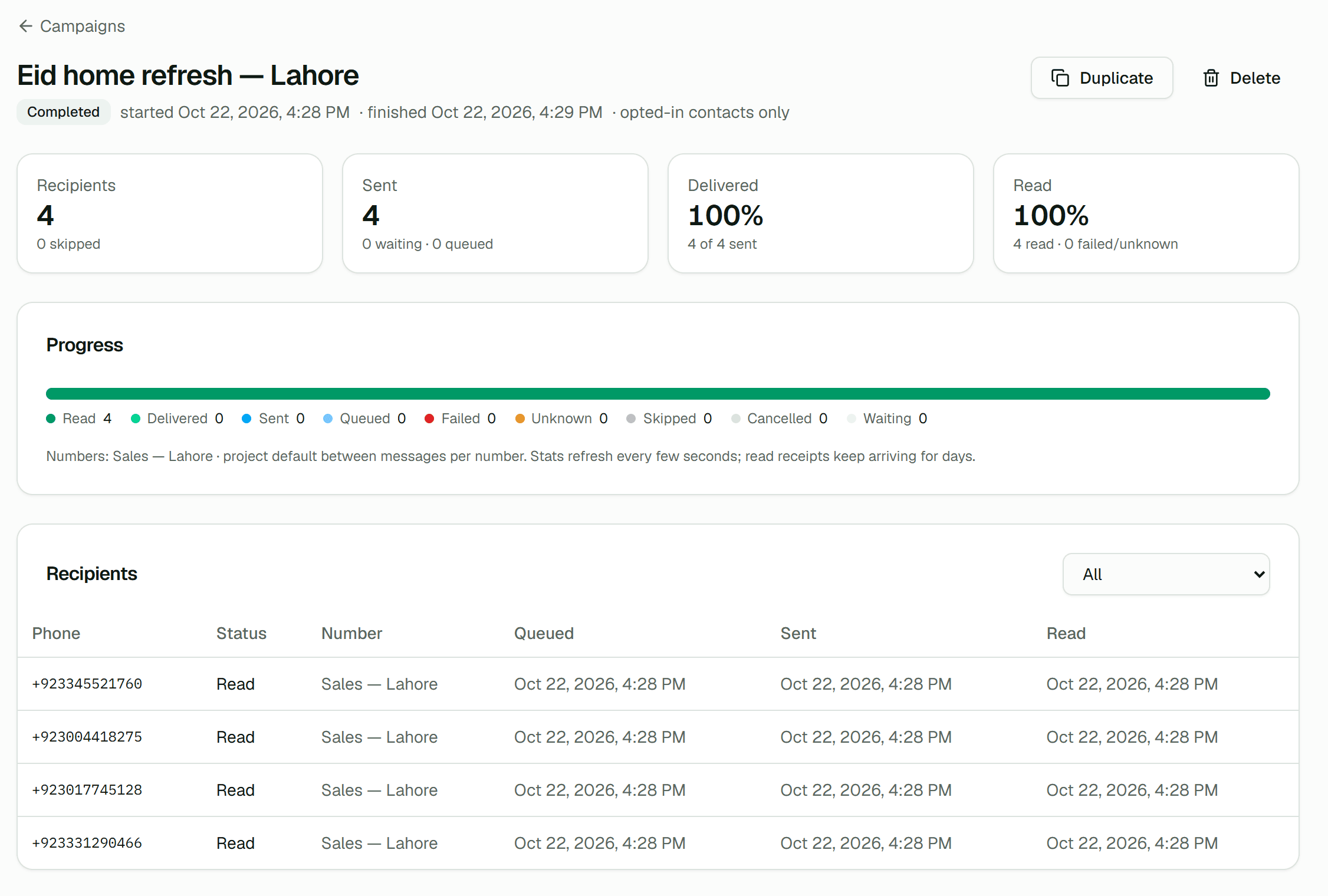
Keep your contacts with tags, attributes and consent history, build segments, and send one personalized message to an audience — an order update, a school announcement or an offer to opted-in customers — paced safely per number.
- Consent with proof
- Record opt-ins with where, how and when. By default only contacts with a recorded opt-in are messaged.
- Opt-outs that stick
- STOP and its equivalents in several languages opt people out on any of your numbers, and imports never override it.
- Safe pacing
- Each number keeps a minimum delay and a per-minute limit. Your API and inbox messages always go first.
- Automatic pauses
- A logged-out number, an exhausted quota or an expired attachment pauses the campaign and tells you why. Nothing is lost.
04CRM
Turn WhatsApp conversations into qualified leads and won deals.
Capture leads from WhatsApp, web forms, click-to-chat links, your apps and imports. Score and qualify them, route them to the right owner within your response target, and track deals through your pipeline until they are won or lost.
1 · WhatsApp message
Omar Farooq
Price of the Hayat 3-seater in velvet?
via Sales — Lahore
2 · Lead
Omar Farooq
NEW- source
- from
- first message
3 · Deal
Hayat 3-seater, velvet
PKR 16,200,000
Stage: Contacted · 25%
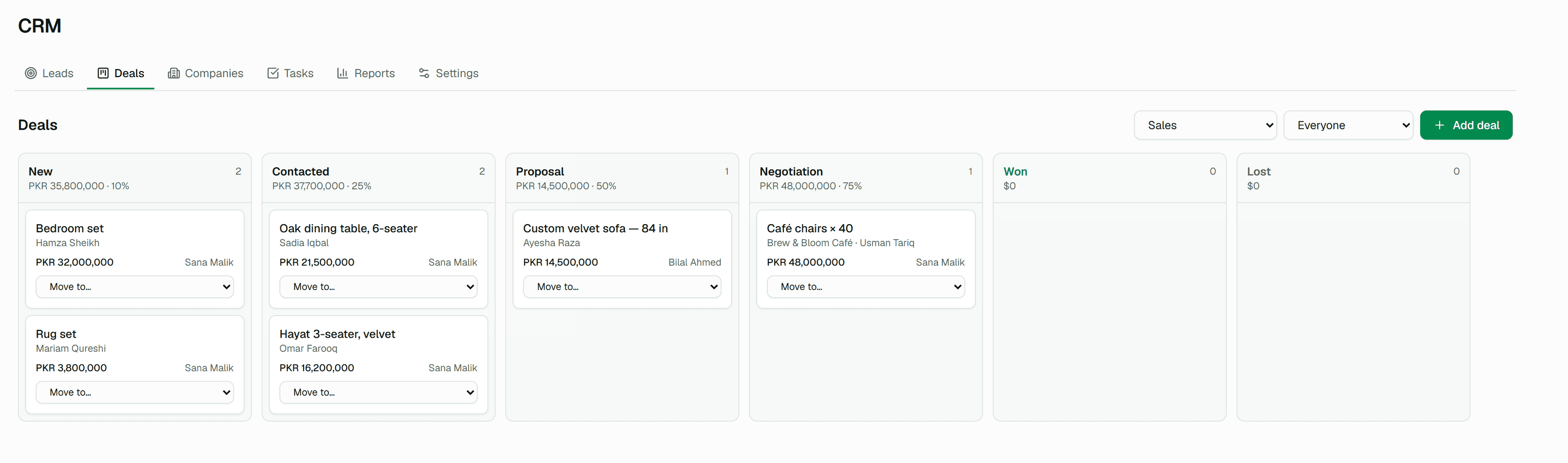
- Capture from WhatsApp
- Every new conversation, only messages with keywords like “price” or “demo”, or let the AI decide which conversations are sales enquiries.
- Click-to-chat links and QR codes
- Short links for ads, bios and flyers open WhatsApp with your text; the first message becomes a lead attributed to the link and its UTM tags.
- Embeddable web forms
- A hosted page and an embed snippet, with optional consent capture, bot filtering, Cloudflare Turnstile and a “Continue on WhatsApp” step.
- Scoring and qualification
- Rules on fields, source, UTM, tags, engagement and AI signals add points; MQL and SQL thresholds qualify leads automatically.
- Routing and speed to lead
- Assignment rules by person or team, a first-response target, and a late flag plus notification when a lead misses it.
- Reports and forecast
- Funnel from lead to won, sources, speed to lead, pipeline value, weighted forecast, win rate and a team leaderboard.
05Follow-ups & reminders
Follow up automatically, and stop the moment they reply.
Message people again on a schedule: no-reply follow-ups after a quote, appointment and payment reminders before a date, and reminders for your team to call someone who has gone quiet.
- A quote is sent · enrolled
- 1 day later, only if no reply
Send a WhatsApp message
Hi Omar, did you have a chance to look at the quote? Happy to answer any questions.
- 2 days later, only if no reply
Remind a teammate
Omar has not replied to the quote. Worth a call?
- A reply, a STOP or a won deal ends it
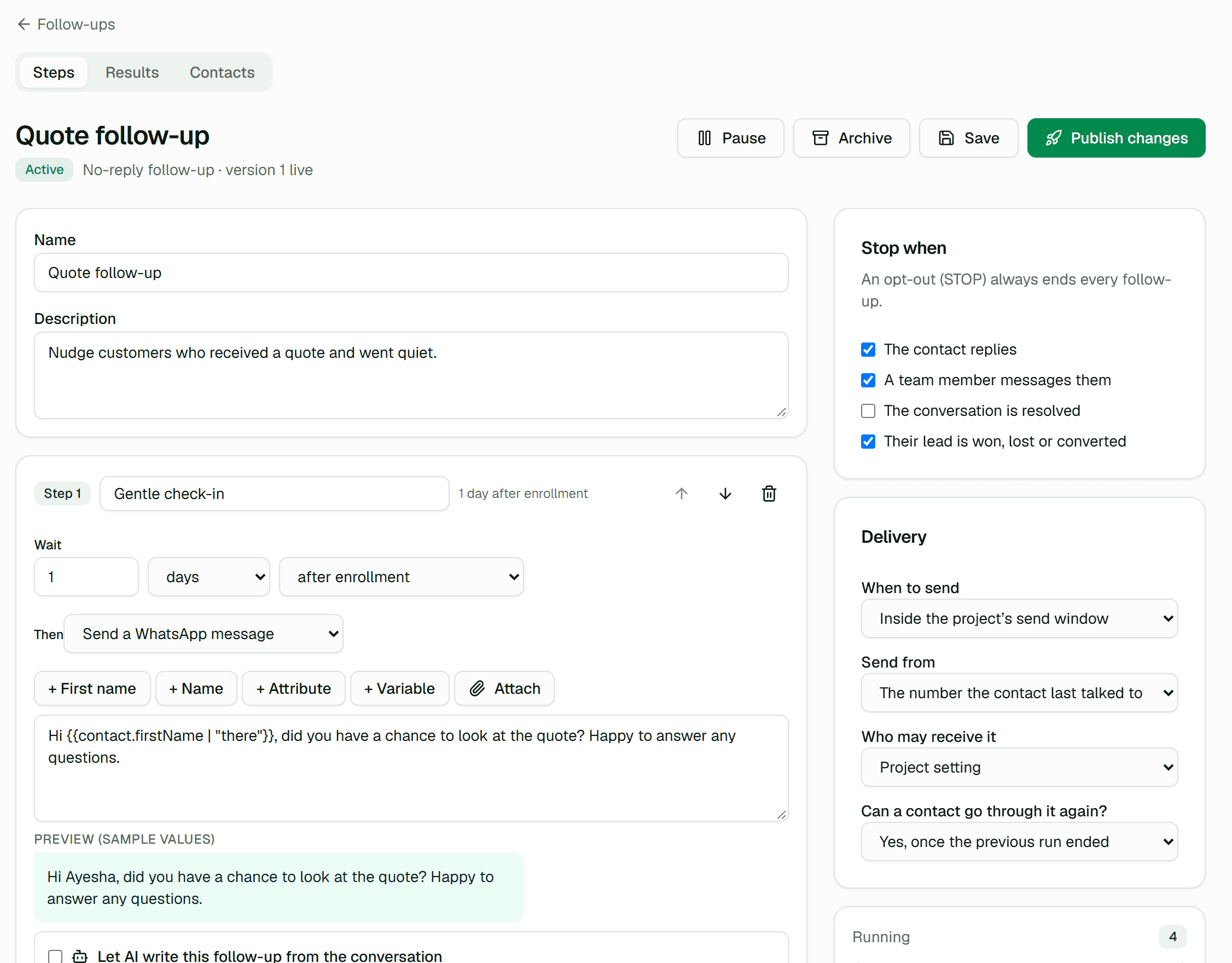
- Date reminders
- One day and one hour before an appointment, a class, a fee due date or a renewal, in the contact’s time zone.
- Respectful by default
- A send window, a per-contact daily cap and pacing behind your transactional messages. STOP always ends every follow-up.
- Automatic rules
- Start sequences when a tag is added, a keyword arrives, a lead changes status or a deal moves stage.
- Campaign non-responders
- Attach a no-reply sequence to a campaign; recipients leave it when they reply.
06Developer platform
Send and receive WhatsApp messages from any application.
Link a WhatsApp number once, then send text, images and documents over a documented REST API and react to delivery receipts and incoming messages through signed webhooks. Built for products that serve many tenants.
curl -X POST https://api.whatstig.com/v1/messages \
  -H "Authorization: Bearer $WHATSTIG_API_KEY" \
  -H "Idempotency-Key: order-4512-shipped" \
  -H "Content-Type: application/json" \
  -d '{
    "instanceId": "wa_01jq8x7y2z3a4b5c6d7e8f9g0h",
    "recipient": "923001234567",
    "type": "text",
    "content": { "text": "Your order has shipped." },
    "clientReference": "order-4512"
  }'
HTTP/1.1 202 Accepted
{ "id": "msg_01jq…", "status": "QUEUED", "clientReference": "order-4512" }Events for everything.
Messages, conversations, campaigns, leads, deals and follow-ups all emit signed webhook events. A selection:
| message.queued · sent · delivered · read | Delivery receipts for every outbound message |
|---|---|
| message.received | An incoming message, with sender and content |
| instance.connected · logged_out | A number connected, or the phone unlinked it |
| conversation.assigned | A team inbox conversation changed hands |
| contact.opted_out | Someone sent STOP or was opted out |
| lead.qualified · lead.sla_breached | A lead became sales-qualified, or missed its response target |
| deal.stage_changed · deal.won | A deal moved, or closed |
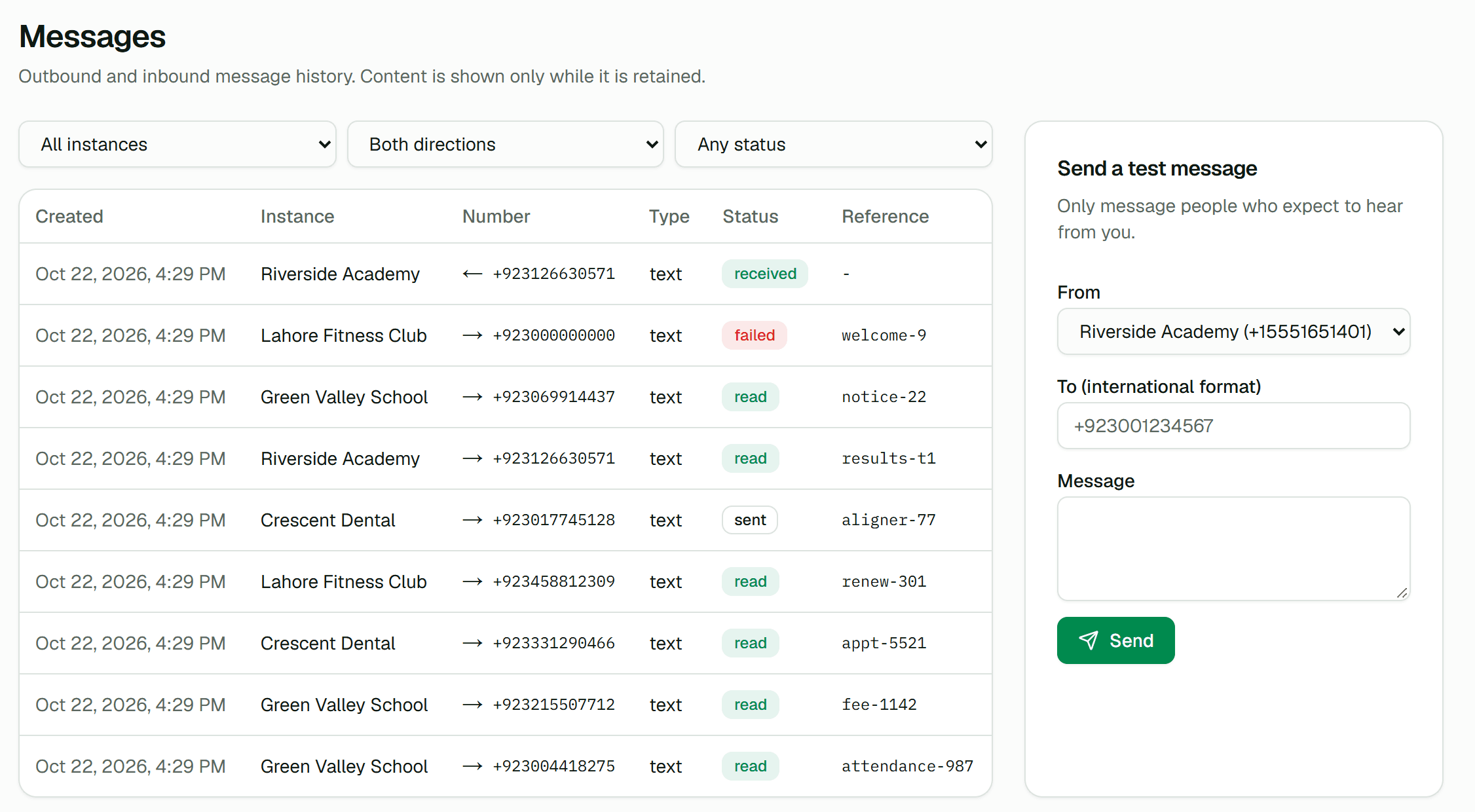
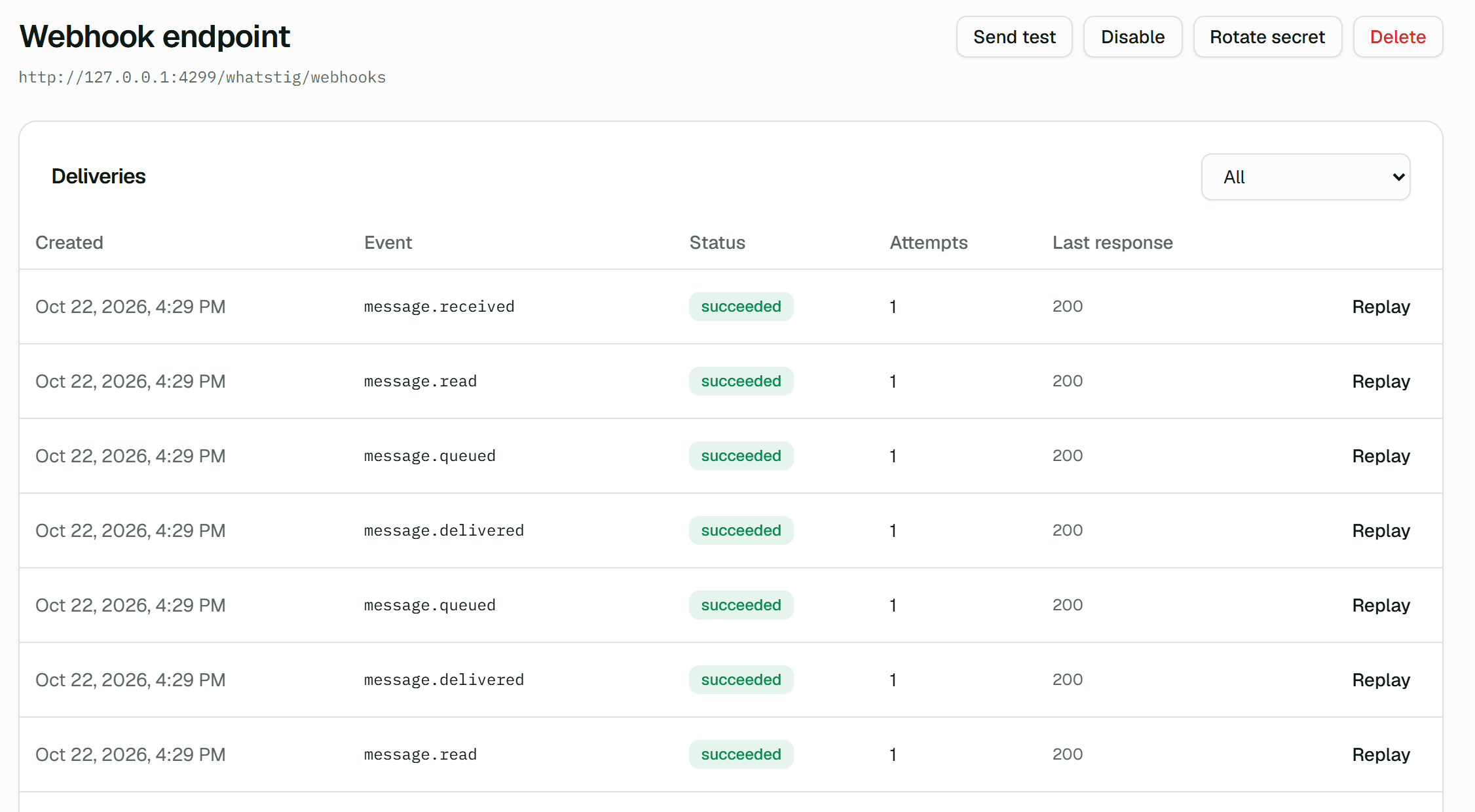
- Connect by QR or pairing code
- Create an instance, scan a QR code or enter a pairing code, and follow its status live. Sessions survive restarts and deployments without a new scan.
- Idempotent sends
- Retry any send safely with an Idempotency-Key: duplicates return the original response instead of a second message.
- Scoped API keys
- Least-privilege scopes, rotation and instant revocation. Secrets are shown once and stored only as keyed hashes.
- Multi-tenant by design
- Map each of your tenants to an instance with externalReference. Projects isolate products and environments.
- SDKs and OpenAPI
- Official TypeScript (@whatstig/sdk) and .NET (WhatsTig.Client) clients generated from the OpenAPI 3.1 contract, plus a Postman collection.
- Honest delivery tracking
- Queued, sent, delivered and read statuses with a per-message history that marks each step confirmed or inferred.
07Platform
Teams, roles, reliability and security underneath every product.
- Organizations and projects
- Separate products, environments and customers. Every API key, webhook and instance belongs to exactly one project.
- Roles for every job
- Owner, admin, developer, agent and viewer. Agents see only the inbox; nobody can grant a role above their own.
- Invitations and seats
- Invite people by email with single-use links that expire after 7 days, and assign inbox seats on the Team page.
- Audit log
- Key creation, webhook changes, logouts, consent overrides and other administrative actions are recorded.
- Simple plans
- Start free. Paid plans are activated by our team on request, with limits enforced per organization.
- Durable sessions
- Encrypted session credentials in PostgreSQL. Restarts and deployments restore linked accounts without a new QR scan.
- Tenant isolation
- Every query is scoped to the caller’s project. Other tenants’ resources are indistinguishable from missing ones.
- Secure by default
- Encrypted credentials, HMAC-signed webhooks, SSRF protection on outbound requests and rate limits against abuse.
- Horizontal workers
- Session ownership uses database leases with fencing tokens, so adding workers never creates duplicate connections.
- Operational visibility
- Prometheus metrics, OpenTelemetry traces, structured logs, health endpoints and Grafana dashboards.
Get started
Link a number. Send the first message. Bring your team in when you are ready.
The free plan includes the full API, webhooks and dashboard. Paid plans are activated by our team on request.